If you’ve ever used Pendo, you’ve probably had that familiar pause. Why doesn’t this guide look quite like our product yet? Why are these analytics slightly out of step with our BI dashboards? And the big one: is this the right platform for where our product is headed?
You’re not the only one asking. In 2025, product adoption is no longer a bonus. It’s your retention engine. The tools you pick need to help you ship quickly, iterate confidently, and deliver guidance that feels native to your product.
This FAQ provides a clear view of Pendo: what it does well, where teams struggle, and how modern stacks approach product adoption. You’ll also see light contrasts with Chameleon, where helpful — not as a pitch, but to highlight how teams think differently about flexibility, speed, and design.
What is Pendo (and who actually uses it)
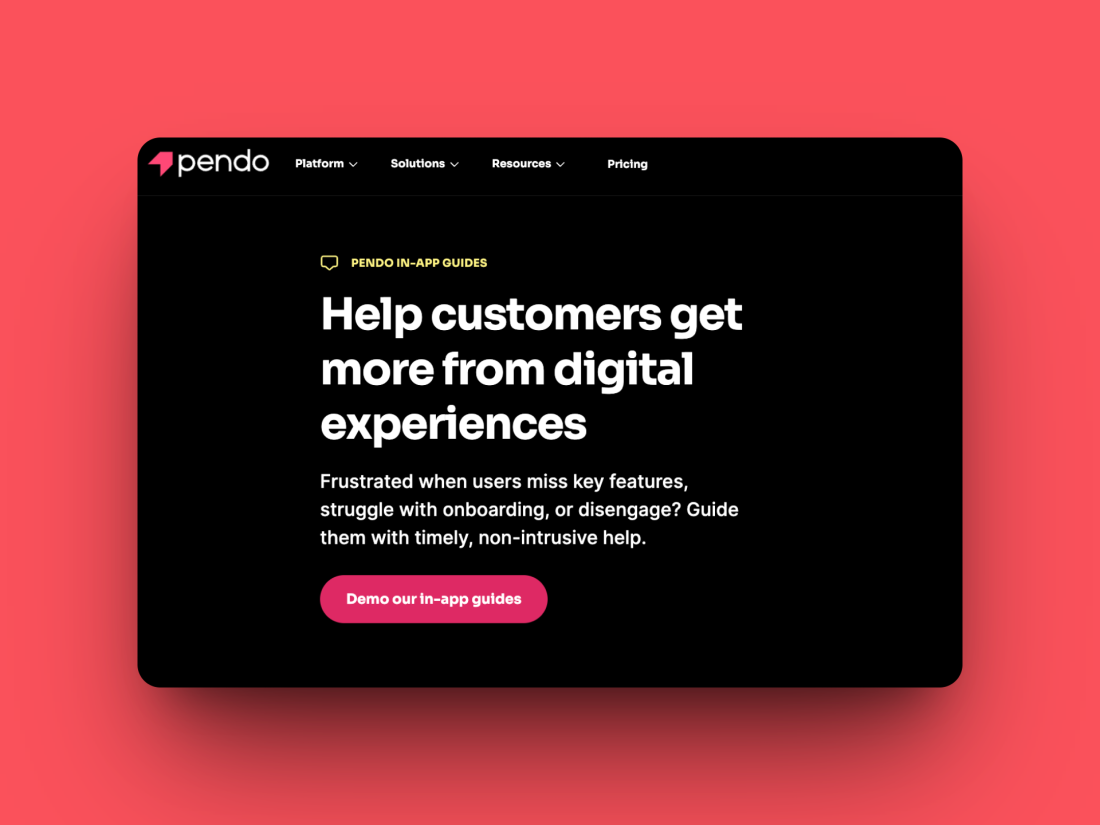
Pendo is a product experience platform that combines product analytics, in-app guides, and feedback tools. It helps SaaS teams understand user behavior, guide them toward success, and collect sentiment — usually without heavy engineering work.
The TL;DR on Pendo FAQS
-
Pendo is powerful but heavy. Great analytics, solid guides — but setup and design control take effort.
-
Pricing is MAU-based. Starts free for 500 users and scales quickly as usage grows.
-
Guides look decent, not designer. CSS or dev help is often needed for true brand fit.
-
Data is hourly, not real-time. Works fine for reporting, less so for rapid experimentation.
-
Chameleon fits lighter stacks. It handles in-app tours, checklists, and surveys beautifully and integrates with your analytics tools, rather than replacing them.
What Pendo does well
Product analytics: Once installed, Pendo automatically tracks user activity, so you can retroactively analyze behavior without pre-tagging every event.
In-app guides: You can create tours, tooltips, modals, and onboarding checklists, and host self-serve help inside the Resource Center.
Feedback collection: Pendo offers in-app NPS surveys and polls to capture feedback at key points in the user journey.
Where teams feel friction
Design flexibility: Guides can be styled, but achieving a fully branded look often requires CSS or developer input.
Learning curve: The platform is powerful but can take time for non-technical users to master.
Pricing transparency: Pendo’s paid plans are quote-based and tied to monthly active users. The company offers a free tier for up to 500 MAU, but pricing scales quickly as usage grows.
Who Pendo fits best
Pendo is a strong fit for mid-market and enterprise SaaS companies with product ops or data teams that can handle more complex setup and maintenance.
For smaller or faster-moving teams, the overhead can feel heavy. That’s where tools like Chameleon come in — built for quick installation, visual control, and fast iteration on in-app experiences.
Pendo features: what you’re actually getting
Guides and in-app messaging
Pendo’s guide builder lets you design tours, tooltips, checklists, and announcement modals. You can target users based on behavior or attributes and trigger messages on specific pages or events.
Where it shines:
Templates to get started quickly
A persistent Resource Center for ongoing help
Segmentation by account or user role
Where it struggles:
Full design control requires CSS
Conditional or branching logic is limited
Mobile guide customization lags behind web
Meanwhile at Chameleon:
Chameleon is designed for teams that want experiences to look and feel fully native. You can style, animate, and target guides visually — all without code. It integrates neatly with your analytics and data tools rather than trying to replace them.
Analytics and reporting
Analytics are one of Pendo’s strongest areas. It tracks feature adoption, paths, and user engagement out of the box. The data updates hourly, so it’s near real-time rather than instant.
The good:
Retroactive analytics help you report on past behavior
Path analysis reveals how users navigate
Custom dashboards for different teams
The trade-offs:
Hourly updates can slow down rapid testing
Deep analysis usually happens in BI tools or exported data
Chameleon’s approach:
Chameleon doesn’t aim to replace analytics tools. It tracks experience performance — who saw which guide, completion rates, and conversion outcomes — and sends those events to your analytics stack (like Mixpanel or Amplitude) for deeper insight.
Feedback collection
Pendo lets you run in-app NPS and custom polls to gather feedback and requests. In the free tier, these include Pendo branding; paid plans allow full customization.
Chameleon’s focus:
Chameleon offers microsurveys that match your brand and trigger contextually — such as right after a user completes a new feature. Responses can sync to tools like Productboard or Slack for immediate follow-up.
Getting started with Pendo: what to expect
Installation and setup
To install Pendo, you’ll add its web agent or mobile SDK, define visitor and account properties, and configure segments. It’s straightforward but requires developer time, especially to map user data accurately.
Common speed bumps:
Setting up properties for targeting and analytics
Aligning event naming conventions with your BI tools
Training cross-functional teams on the interface
How Chameleon simplifies setup:
Chameleon can be installed in minutes. Once installed, product teams can define events visually and launch onboarding flows or surveys immediately — no engineering bottlenecks required.
Pendo guides: best practices (and workarounds)
Designing effective product tours
The fundamentals apply no matter which tool you use:
Lead users to their first aha moment, not every feature.
Keep tours short — three to five steps is plenty for onboarding.
Trigger contextually so users see help when it’s relevant.
Pendo-specific considerations
Use templates to move fast, but expect to tweak CSS for styling.
Too many active guides can slow load times, so audit regularly.
Leverage the Resource Center for persistent, opt-in help.
How Chameleon helps here:
Chameleon’s visual editor and conditional logic make it easy to A/B test, personalize, and evolve experiences quickly. You can embed videos, images, or feedback steps directly inside guides to make them feel conversational and dynamic.
Targeting and segmentation
Pendo’s targeting options include user roles, account properties, and custom attributes. It’s flexible but depends on clean data and a well-structured event setup.
Tips for success:
Document your attributes and keep them synced with your CRM or CDP.
Start simple with a few key segments before layering complexity.
Use exports or Data Sync to align with your warehouse data.
Chameleon’s targeting:
Chameleon’s segmentation is visual and combines behavioral, demographic, and firmographic conditions in real time. It’s designed so PMs can set up and manage targeting themselves.
Pendo analytics: making sense of your data
Metrics you’ll see
Feature usage and adoption
User journeys and funnels
Active users and engagement trends
How to interpret them
Focus on outcomes — are users activating, retaining, or expanding?
Compare cohorts to find what successful users do differently.
Expect slight differences with other analytics tools, since Pendo defines sessions and MAUs in its own way.
Integrations and data flow
Pendo integrates with Salesforce, Slack, Segment, and BI tools. More advanced integrations, such as warehouse sync, are available through its Data Sync product.
Chameleon’s approach:
Chameleon sends detailed event data to your analytics stack, so your guides, surveys, and user behavior all live together in the tools you already rely on. It integrates with dozens of platforms and offers APIs and webhooks for custom workflows.
Troubleshooting common Pendo issues
Even with the right setup, small snags can appear. Here are the most common ones.
Guides not appearing
Possible causes:
Segment rules don’t match real user data
Event tracking is missing or misfiring
CSS or JavaScript conflicts are hiding the container
Quick fixes:
Use Pendo’s preview mode, check event logs, and test with a sample user.
Analytics don’t match other tools
Possible causes:
Different session or MAU definitions
Events configured differently across systems
Hourly update cadence delaying new data
Quick fixes:
Align event definitions and timeframes across tools and focus on trends over exact parity.
Pricing confusion or MAU discrepancies
If your active-user numbers seem off, double-check which properties Pendo is using to define a visitor or account. MAU is the key driver for plan sizing and billing.
Why teams sometimes switch:
When design customization, pricing, or data maintenance starts feeling like a drag, some teams opt for a lighter, modular setup — keeping analytics in their BI stack and USING Chameleon for in-app experiences and feedback.
Pendo alternatives: when it’s time to move on
Signs you’ve outgrown Pendo
You want more control over visuals and branding.
Your costs are climbing faster than your usage.
You’re waiting on engineering for small changes.
You want to keep analytics and in-app experiences separate so each can evolve freely.
Why teams choose Chameleon as their in-app layer
No-code control: PMs and designers can create tours, checklists, and surveys without touching code.
Fast iteration: Install quickly and test new experiences the same day.
Integrated stack: Send event data to analytics and CRM tools instead of duplicating it.
Flexible integrations: Dozens of native connections plus APIs and webhooks for anything custom.
Feature comparison: Pendo vs Chameleon
Capability | Pendo | Chameleon |
|---|---|---|
In-app guides and checklists | Yes. Templates, targeting, Resource Center | Yes. Deep visual control and brand matching |
Product analytics | Yes. Hourly UI updates and warehouse export via Data Sync | No. Sends experience data to your analytics tools |
Feedback and NPS | Yes. In-app NPS and polls (branding varies by plan) | Yes. Brandable microsurveys triggered contextually |
Install and setup | Requires SDK and data mapping | Lightweight install, visual configuration |
Targeting and logic | Requires defined attributes and clean data | Visual targeting, behavioral and attribute-based |
Integrations | Broad integration catalog plus Data Sync | Dozens of native integrations, APIs, and webhooks |
Pricing model | Quote-based, MAU-driven (free up to 500 MAU) | Transparent pricing with focus on flexibility and scale |
The bottom line: choose the platform that moves at your speed
Pendo is a capable all-in-one solution for teams that want analytics, guidance, and feedback in a single platform. It’s robust, data-rich, and best suited to organizations with dedicated resources to manage it.
Modern teams, however, often prefer modularity: keeping analytics where analysts work and using a specialized tool for in-app experiences that prioritizes design, speed, and ownership.
That’s where Chameleon fits — as the in-app layer that helps you onboard users, announce features, and collect feedback without waiting on anyone else. It’s flexible, easy to iterate, and built to work alongside your existing stack.
If you want to see what product adoption looks like when your platform actually keeps up with you, book a demo.
-
Mostly — but not entirely. You can create guides and surveys in Pendo without writing code, but full customization often needs developer input. Many teams use CSS to match their brand or tweak guide layouts. Tools like Chameleon are designed to stay truly no-code, giving product teams more visual control without touching code.
-
Pendo’s pricing is based on monthly active users (MAUs) and varies by plan. The company doesn’t list pricing publicly, but reviews suggest starting costs in the mid five figures annually for paid tiers. There’s a free version for up to 500 MAUs, which includes core analytics, guides, and NPS.
-
Not quite. Pendo offers solid product analytics — feature usage, paths, and trends — but many teams still use Mixpanel, Amplitude, or GA for deeper behavioral analysis and funnel tracking. Chameleon complements those tools by sending detailed in-app engagement data straight into them.
-
Yes. Many teams make the switch when they want more design flexibility or simpler pricing. Chameleon has a Pendo migration guide and templates to help you rebuild tours and checklists quickly. Most customers are up and running within a day or two of installation.
-
Pendo’s support model varies by plan tier, with enterprise customers getting more direct help. Chameleon takes a more proactive approach — dedicated success support, onboarding guidance, and real-time chat with product specialists. The goal is to help teams get measurable results fast, not just resolve tickets.